Setting up API Credentials
This guide explains how to generate or get API Credential to get started with Integrated Logistics Solutions (ILS) API.
🗝️ Generate API Credential
To create Integrated Logistics Solutions (ILS) API credentials.
- Login into ILS Web Portal.
- Navigate to the ILS API Credentials page.
-
To add an API credential:
- Click New icon.
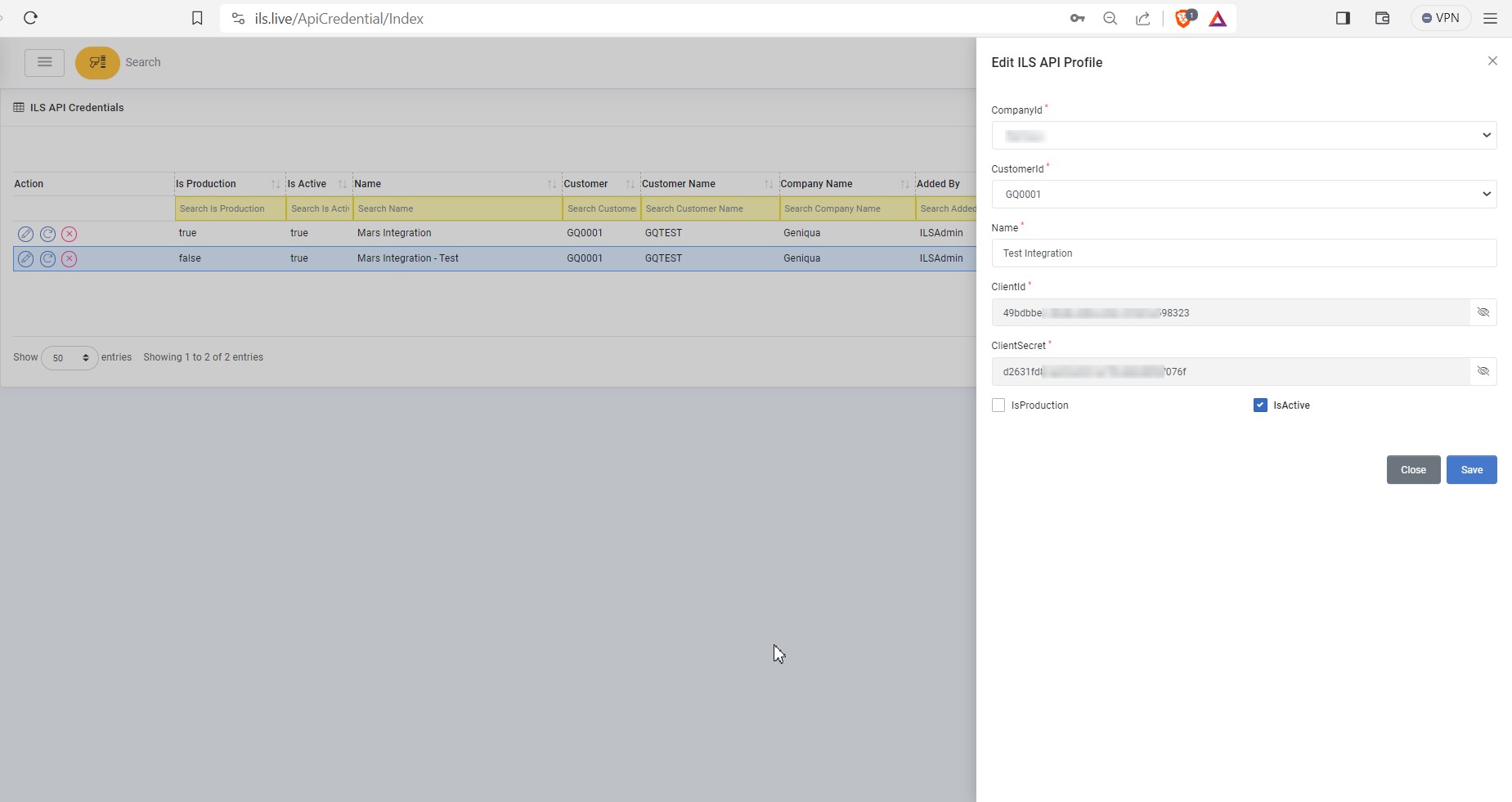
- Enter the following information:
The following descriptions are only for fields that require special considerations.
Field Description CompanyId Select the Company. By default, user logged in company account is selected. CustomerId Select the Customer. By default, user logged in customer account is selected. Name Name of the API credential. ClientId Client Id auto generated by the application. Click on the eye icon to revel the value. ClientSecret Client Secret auto generated by the application. Click on the eye icon to revel the value. IsProduction Choose whether this credential is for production environment. IsActive Choose whether this credential is active. - click Save.
-
To edit an API credential:
- Click on the icon for the API credential you wish to edit.
- Edit the information as needed.
- Click Save.
-
To delete an API credential:
- Click on the icon for the API credential you wish to delete.
- Click Yes on the confirmation popup.
🗝️ Get API Credential
To get Integrated Logistics Solutions (ILS) API credentials.
- Login into ILS Web Portal.
- Navigate to the ILS API Credentials page.
-
To get an API credential:
- Click on the pencil icon for the API credential you wish to retrieve.
- Click on the eye icon to revel the value for ClientId and ClientSecret.
- Click Cancel.