Getting Started
This guide explains how to get started with Integrated Logistics Solutions (ILS) API.
Before You Start
You will need:
- API Swagger Documentation.
- API Credentials - This will provide permission to execute the APIs.
- The Postman API testing tool.
- A brief understanding of the structure of the API request structure from our API Overview guide.
Your First Request
Step 1: Open the Postman API testing tool
Download and Open the Postman API testing tool. This allows you to execute the examples as you read this tutorial.
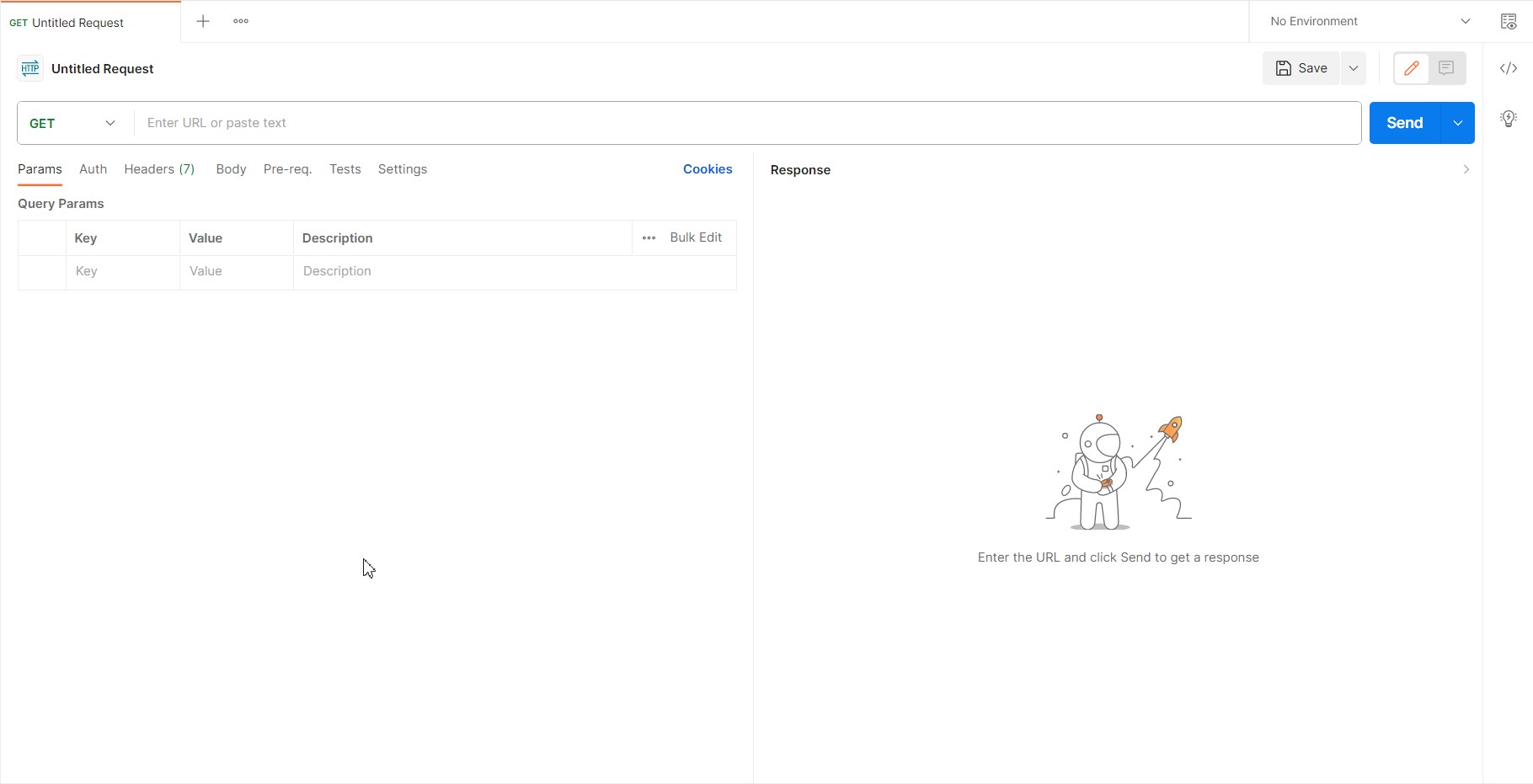
Click on the + to create new Request, as shown in the following image.
Step 2. Generate an Access Token
Most endpoints require OAuth 2.0 authentication. In this type of authentication, you use a Client Id and a Client Secret to obtain an access token. Then you can use that token as credentials for API requests.
Getting Access Token
- Create an API Credential in ILS Web Portal if you don't have one.
- Get the
Client IdandClient Secretfor the corresponding the API credentials set. - Send the following request using Postman or curl as shown in the following image or code snippet.
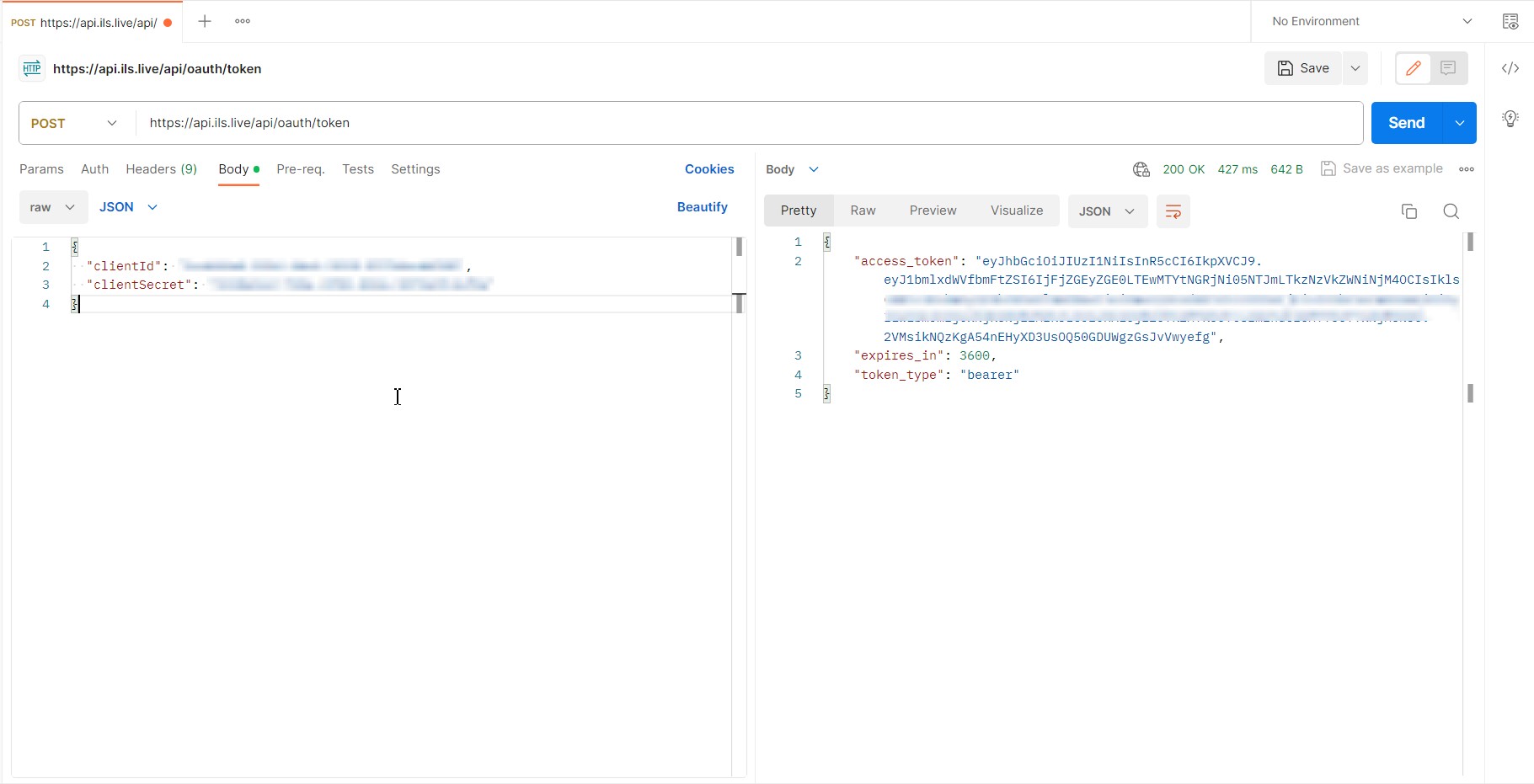
curl --location 'https://api.ils.live/api/oauth/token' \
--header 'Content-Type: application/json' \
--data '{
  "clientId": "clientid",
  "clientSecret": "clientsecret"
}'
Step 3. Submit the Request
Submit your first API request using Postman or curl as shown in the following image or code snippet.
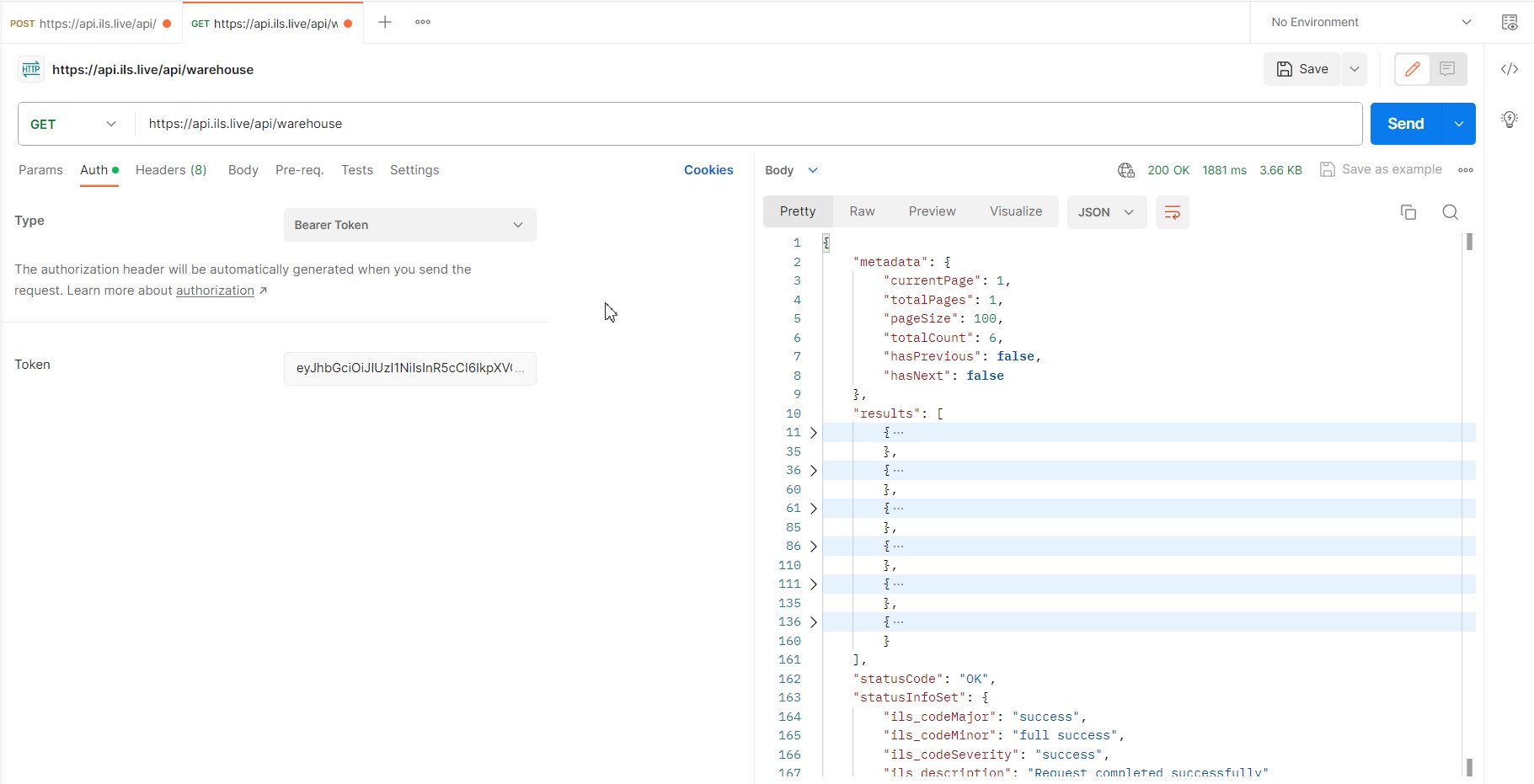
curl --location 'https://api.ils.live/api/warehouse' \
--header 'Authorization: Bearer eyJhbGciOiJxxxxxxxxxxxxxxxxx'
Get the Code for your Request
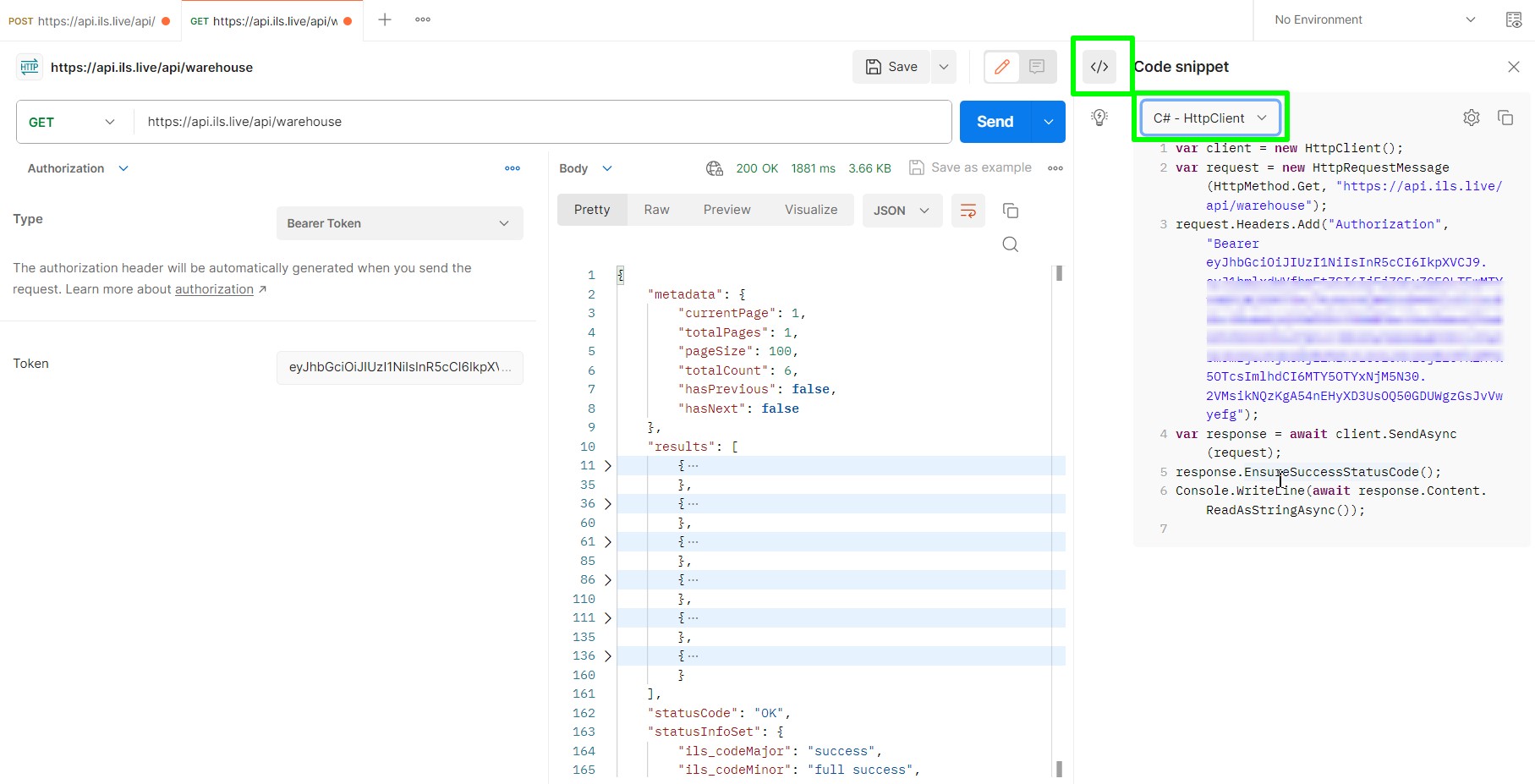
The Postman tool lets you test requests and once you have a successful response, you can get the code to insert into your application code. At the right of the response window, click Code icon. The tool offers code snippet for various languages C#, Java, JavaScript, NodeJs, PHP, Python and cURL. You can just copy and paste as shown in the following image.