Temu Store Configuration
To configure the Temu store in ILS, please ensure you authorize the ils.live Temu application. This authorization is required for the system to sync orders and process transactions correctly.
Introduction
For Crossborder sellers and Local sellers, different types of sellers log in to different backends for operation authorization. Authorization means that the seller uses a third-party ISV (Independent Software Vendor). The seller's authorization permission must be obtained in advance before the open platform's API capabilities can be used normally.
Seller Authorization
| Seller Type | Site Region | Authorization Type | Website Url |
|---|---|---|---|
| Crossborder sellers | US | Mannual | https://agentseller.temu.com/open-platform/system-manage/client-manage |
| Crossborder sellers | EU | Mannual | https://agentseller-eu.temu.com/open-platform/system-manage/client-manage |
| Local sellers | US | Mannual/Callback | https://seller.temu.com/open-platform/client-manage |
| Local sellers | EU | Mannual/Callback | https://seller-eu.temu.com/open-platform/client-manage |
Authorization Type
Once your app is published on the App Store, sellers will be able to authorize it. There are two types of authorization:
-
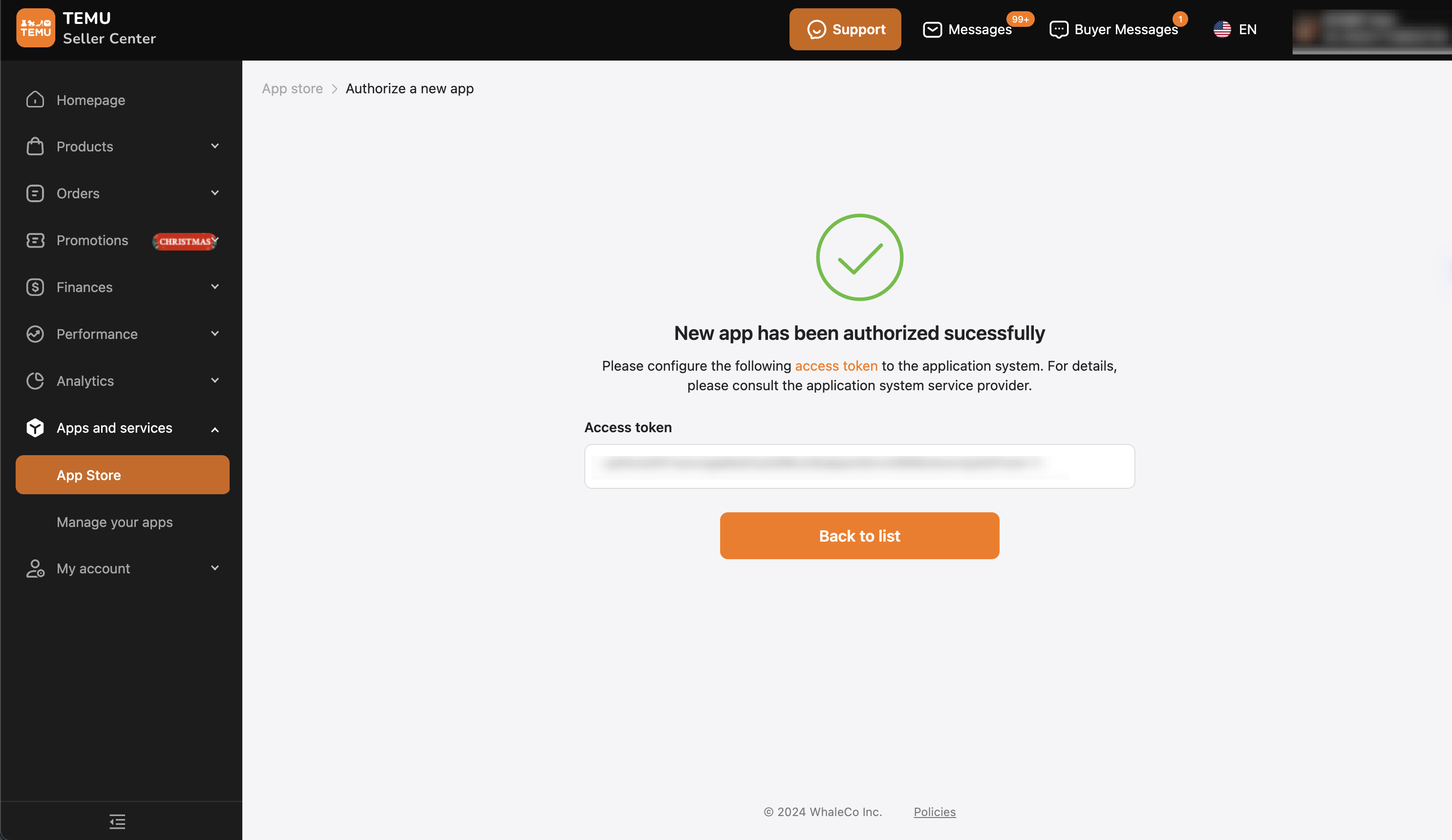
Manual Authorization: The user manually authorizes the app in the Seller Center and selects the permissions to be granted (defining the API scope the app can access). Once the authorization is complete, the system directly displays the access_token to the user. The user copies the access_token into the app for configuration, and the developer saves the access_token for subsequent program calls.
-
Callback Authorization: The user authorizes the app in the Seller Center and selects the permissions to be granted (defining the API scope the app can access). After completing the authorization, a code is sent to the app's pre-configured redirect_url. The app's front end retrieves the code and passes it to the back end, which then uses the code to generate an access_token. This authorization method is suitable for immediate installation from the app store and provides a better user experience, making it the recommended approach.
Authorization Steps
Local Seller
Local Seller permissions for accessing product lists, order lists, order shipments, etc.
- Log in to the Local Seller Center - System Management - Authorization Management page (link address: https://seller.temu.com/open-platform/client-manage)
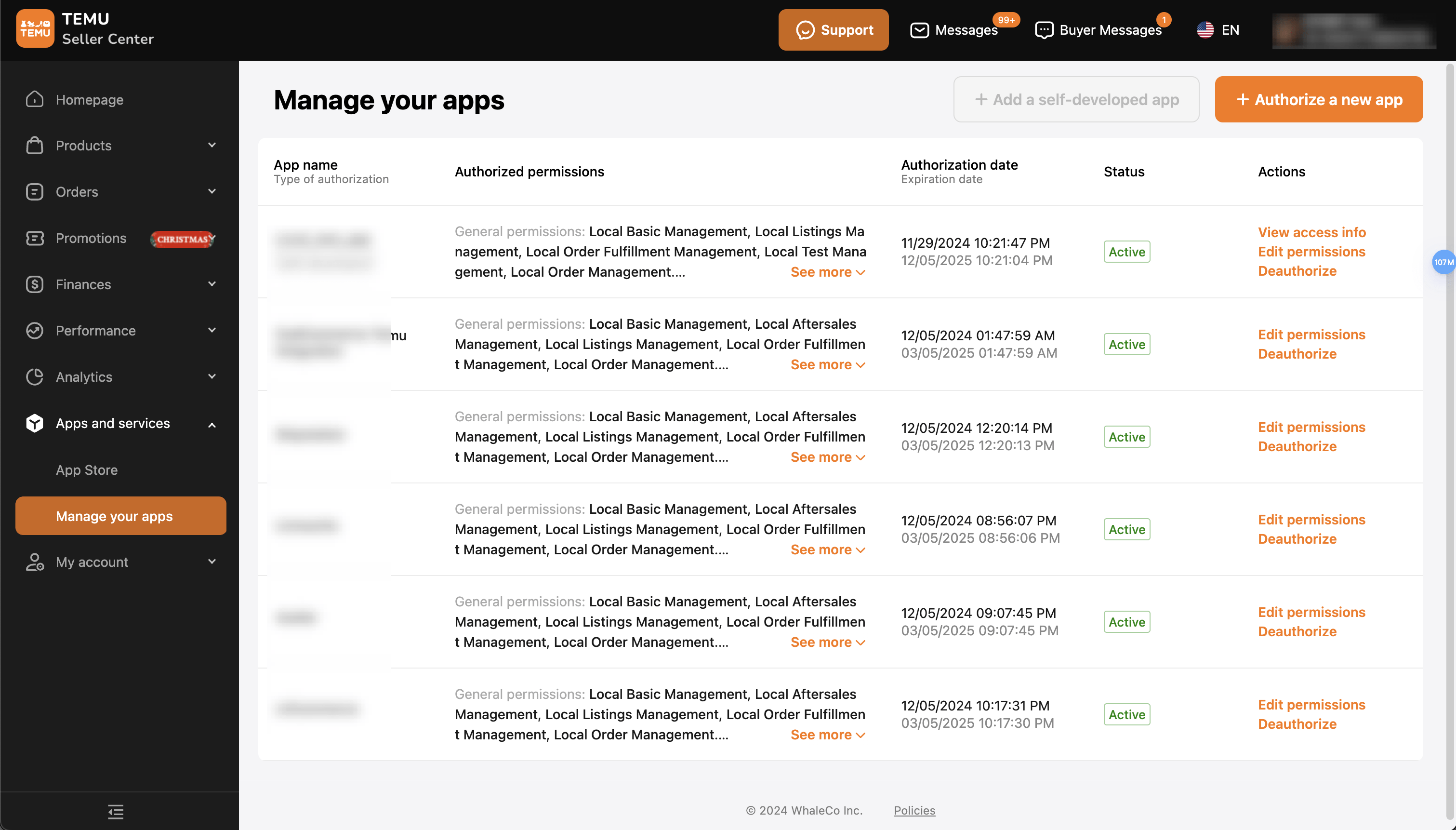
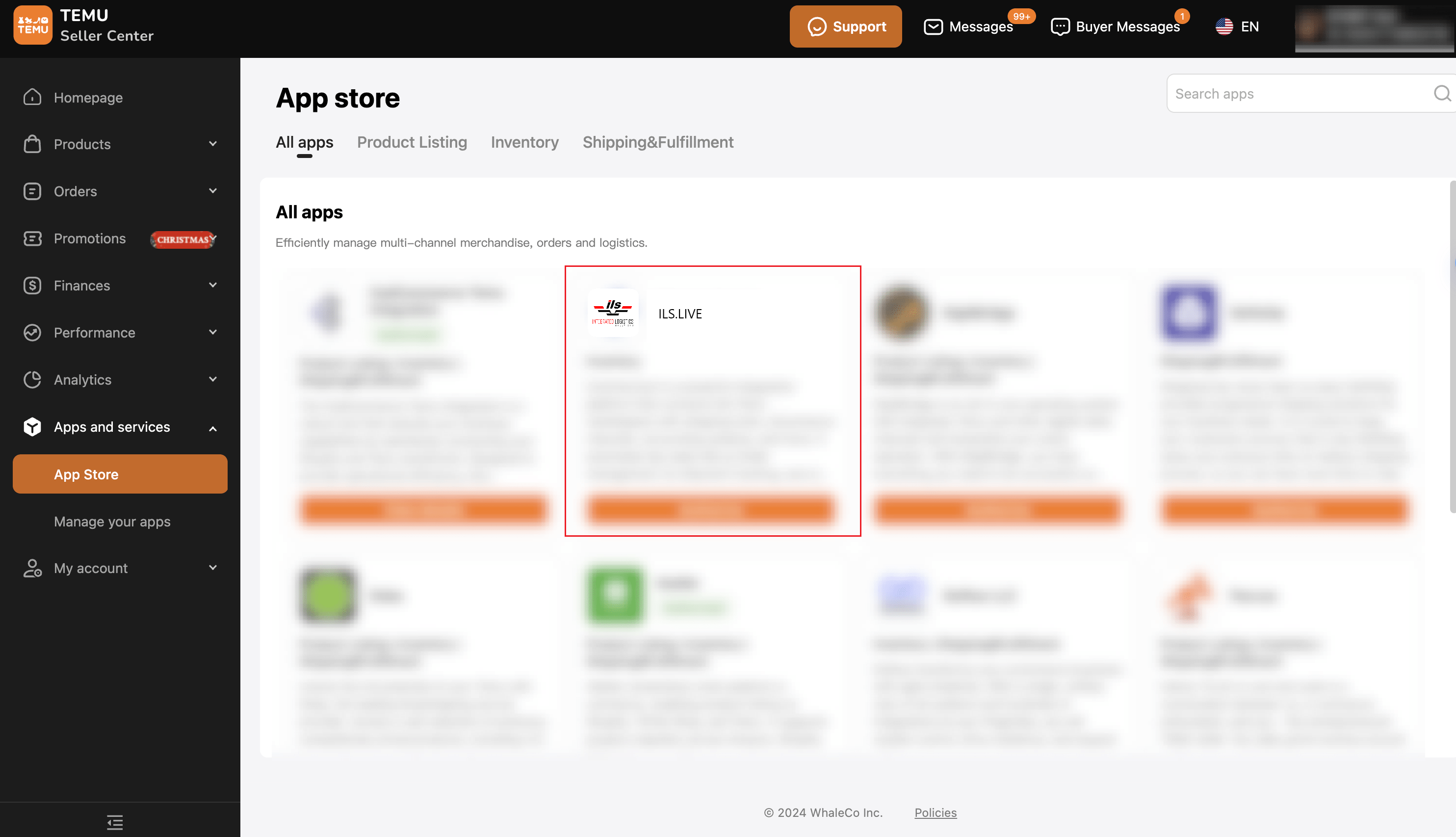
- Click on Authorize a new app, which will display a list of available systems as shown below. find ILS.LIVE app.
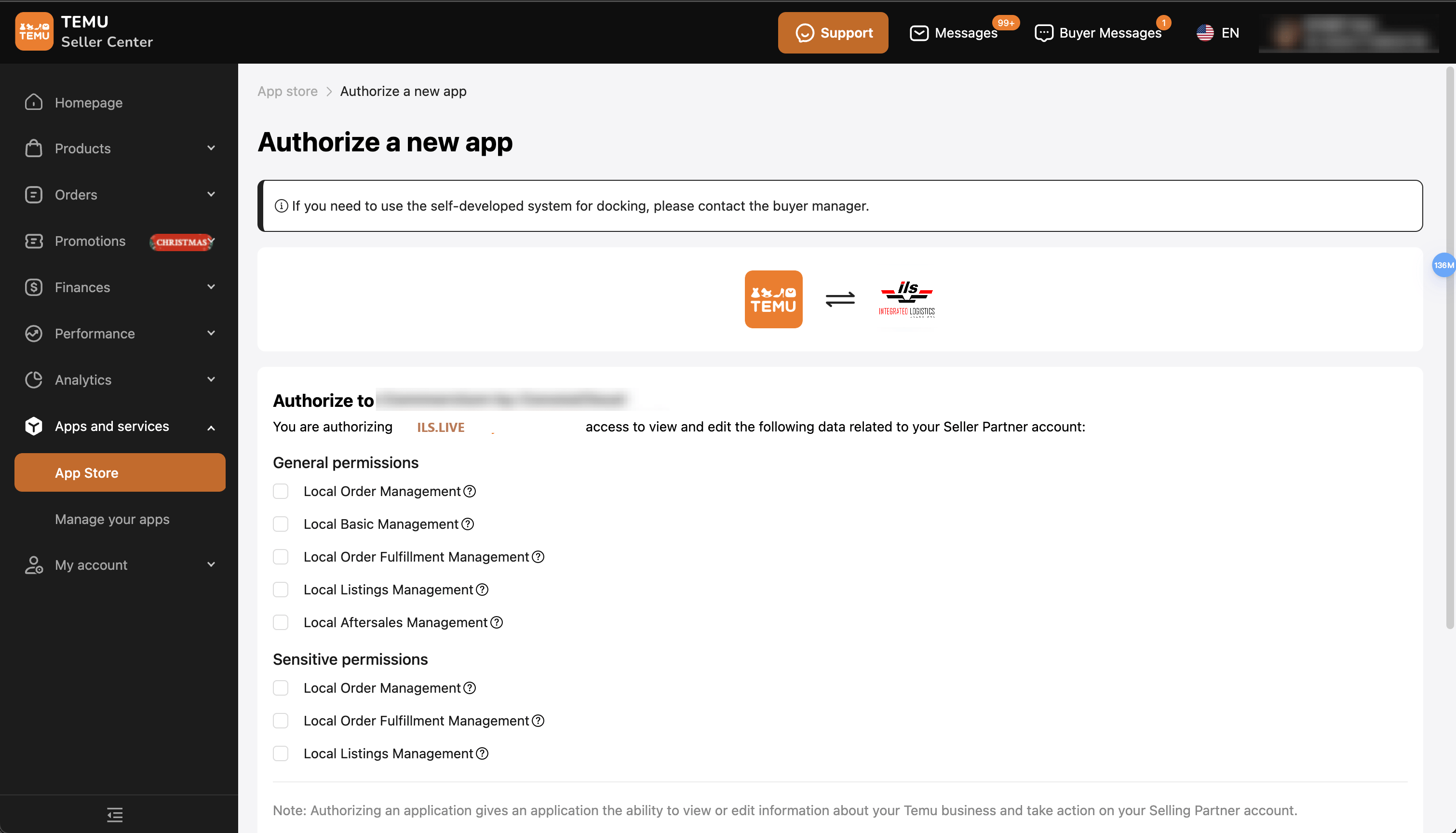
- Select the app name (ILS.LIVE), and the permissions that can be granted to the selected system for the current store will be displayed.
- Click Submit at the bottom of the page, and the following screen will appear. Copy the Access Token and paste it into the software page to complete the configuration.
- If app is an Callback Authorization, Click OK then you will jump to app pages and start to have it worked.
- After successful authorization, the authorized permissions and expiration time will be displayed in the authorization list.And you can deauthorized an app in the list.
API scope permissions for custom apps
Collaborator and staff accounts can set API scopes for custom apps only if the account has the Develop apps permission, as well as any other staff permissions related to the API scopes that they set.
You should consult with your app's developer to determine which account permissions and API scopes are required for the custom app to work. Make sure that you understand and are comfortable with the permissions that you give to the developer.