Passport
Passport Global's API is designed to allow for quick integration to begin selling and shipping internationally. It offers endpoints for general shipping-related functions, including rate requests and shipping label generation.
Configuring the Passport Shipping REST API in ILS, you need API Key from Passport Onboarding team.
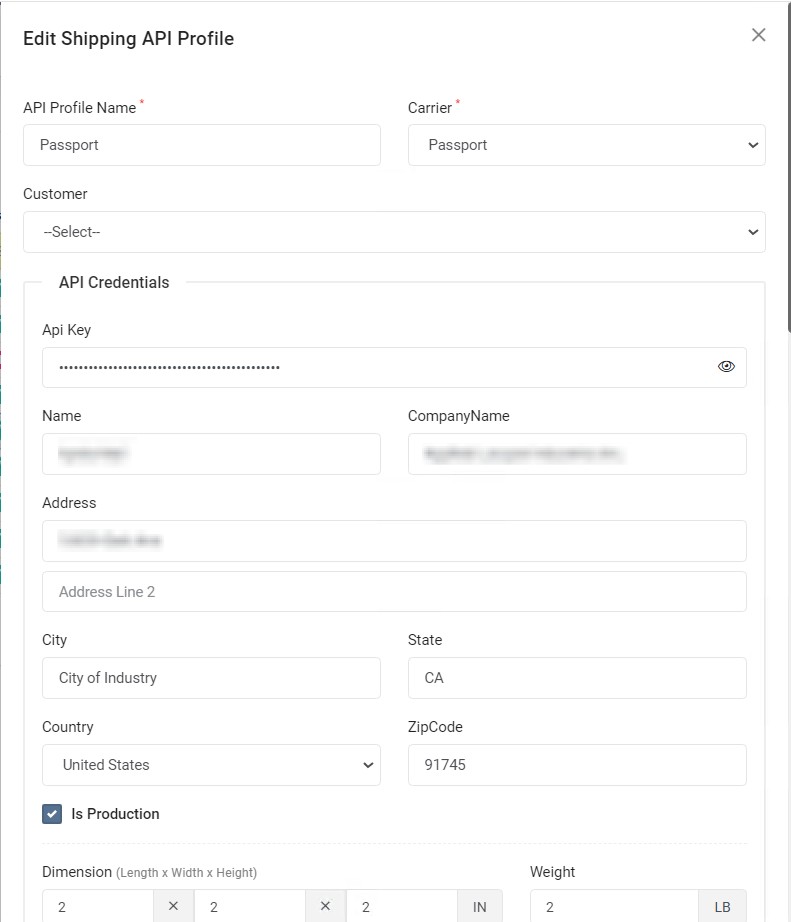
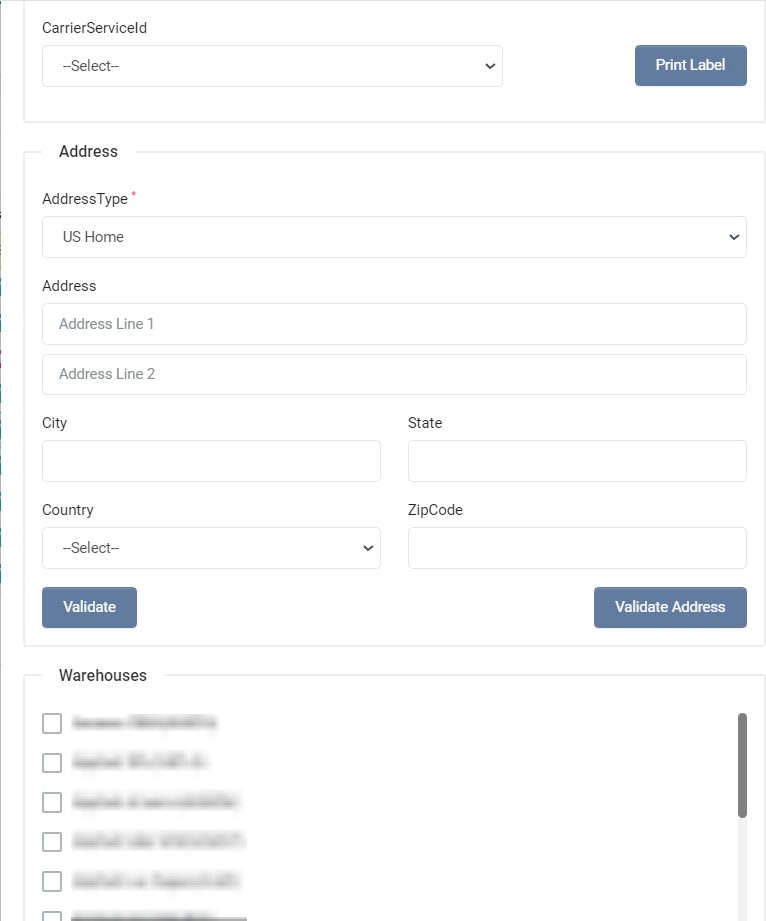
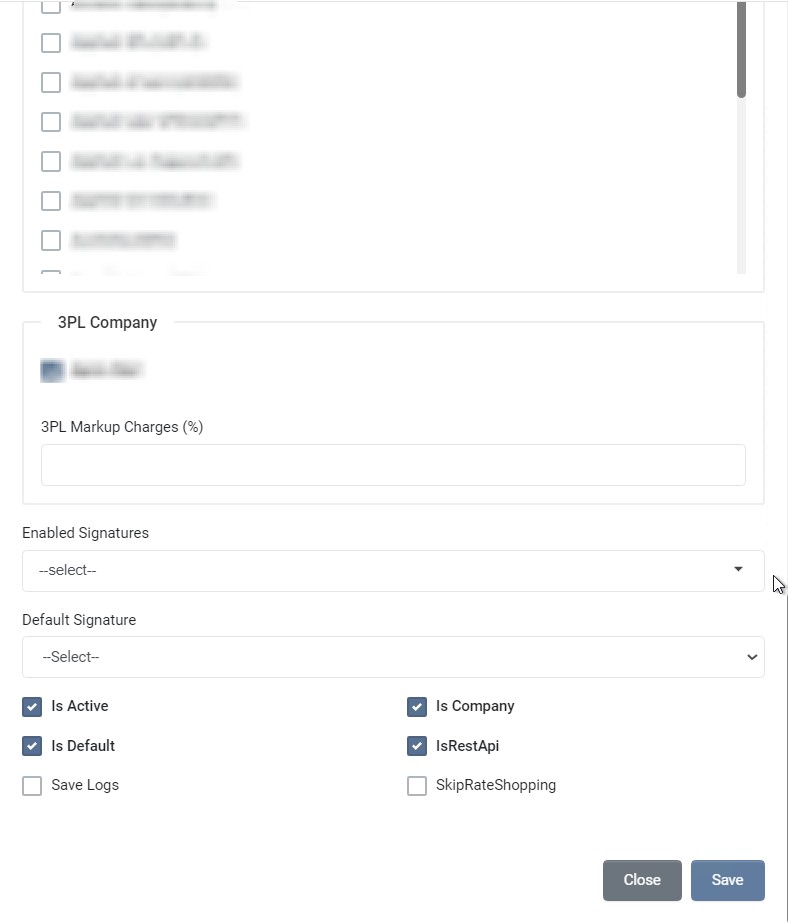
| Field | Required | Description |
|---|---|---|
| API Profile Name | Unique name for the Shipping API profile. | |
| Carrier | Select carrier as Passport | |
| Customer | Select the Customer. By default, user logged in customer account is selected. | |
| Api Key | Get Api Key, as mentioned in Registration and Authentication | |
| Name | The contact name to validate the rates and labels APIs. | |
| Company Name | The company to validate the rates and labels APIs. | |
| Address Line 1 | The combination of number, street name. etc of warehouse address. | |
| Address Line 2 | Street address line 2 of warehouse address. | |
| City | The name of city, town, etc of warehouse address. | |
| State | The State or Province codes. The Format and presence of this field may vary depending on the country. | |
| Country | Specify the ISO Alpha2 code of the country. | |
| Zip Code | The Postal Code which is an identification code of a region (usually small) for easier and accurate mail/package delivery. The format and presence of this field may vary depending on the country. | |
| Length | The length value to use for label and rate validation in inches. | |
| Width | The width value to use for label and rate validation in inches. | |
| Height | The height value to use for label and rate validation in inches. | |
| Weight | The weight value to use for label and rate validation in pounds. | |
| Carrier Service | Choose the carrier service to use for label validation. | |
| Address Type | Select address type to use for address validation, rates and labels APIs validation. Passport services are for international shipping, hence select international address. | |
| Address Line 1 | The combination of number, street name. etc of warehouse address. | |
| Address Line 2 | Street address line 2 of warehouse address. | |
| City | The name of city, town, etc of warehouse address. | |
| State | The State or Province codes. The Format and presence of this field may vary depending on the country. | |
| Country | Specify the ISO Alpha2 code of the country. | |
| Zip Code | The Postal Code which is an identification code of a region (usually small) for easier and accurate mail/package delivery. The format and presence of this field may vary depending on the country. | |
| Is Production | Choose whether this is production or test profile. | |
| Is Active | Choose whether this profile is active. | |
| Is Company | Choose whether this profile is company profile. | |
| Is Default | Choose whether this profile is default profile. | |
| Is Rest API | Check this if this profile is REST API. | |
| Save Logs | Choose whether to save request and response for debugging. | |
| Skip Rate Shopping | Check if this profile doesn't support rate shopping. |
Registration and Authentication
During the onboarding or integration process, Passport Onboarding team will create an account for your organization and provide the API key to your designated point of contact, which is typically a member of the operations, development team, or one of the founders.