🖨️ Setup Guide: WebApp Hardware Bridge Installation & Configuration (Web UI)
1️⃣ Install WebApp Hardware Bridge
The WebApp Hardware Bridge lets your web application talk to local hardware like printers.
Windows
- Download the latest release of WebApp Hardware Bridge 👉 Download WHB V1.0.1
- Run the installer
.exe - Follow the wizard and complete installation
Linux
macOS
2️⃣ Access Web UI
-
Start the bridge service:
-
On Windows → Service runs automatically
-
On Linux/macOS → Run:
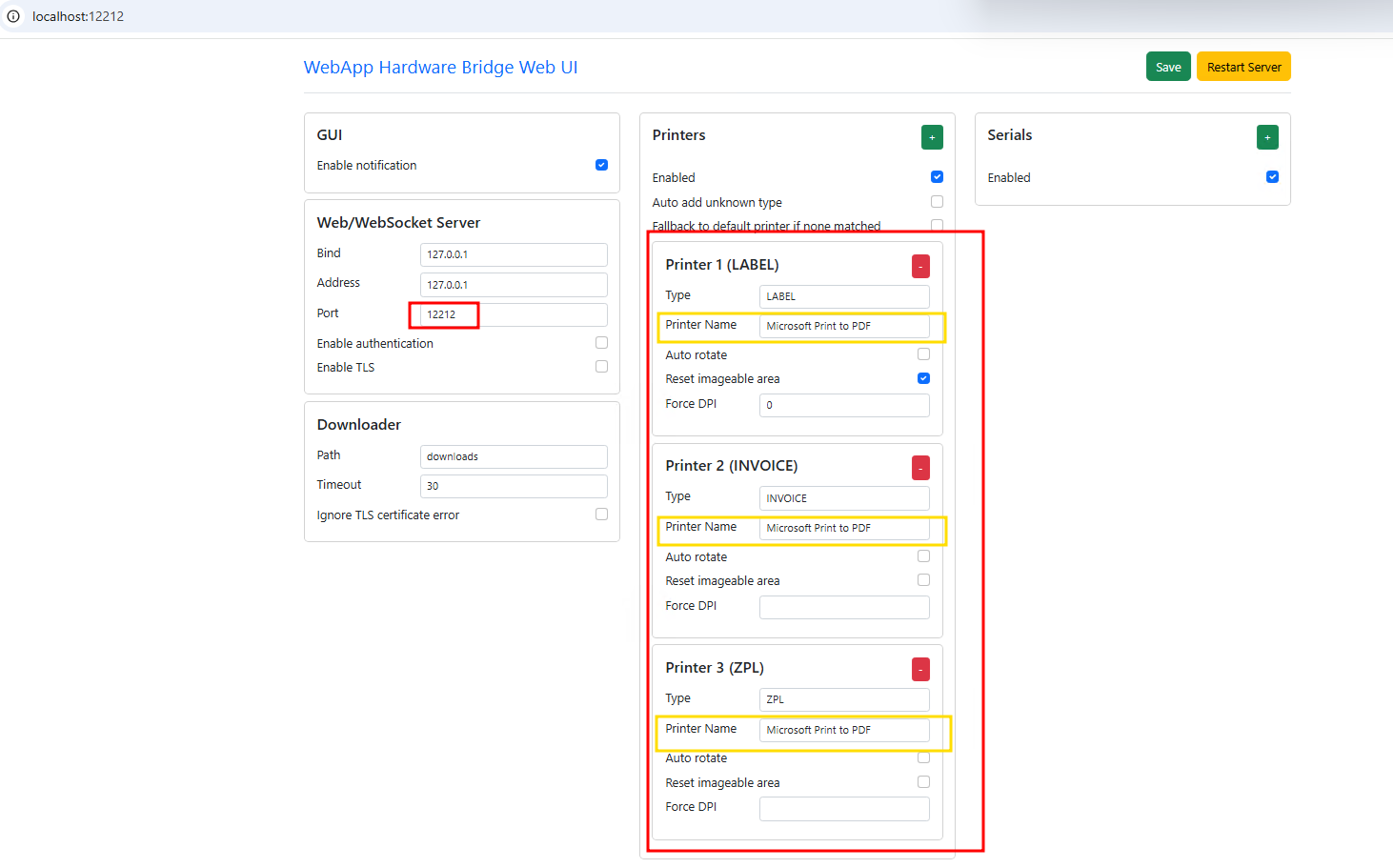
2. Open a web browser and go to: 👉 http://localhost:12212 3. You will see the Web UI Dashboard.
3️⃣ Configure Printers Using Web UI
- Go to the Printers section in the Web UI.
- Click Add Printer or ensure your printer is listed as per given screenshot.
- Add a new printer if not already configured, and set its type to LABEL / ZPL / INVOICE if needed.
- Save the configuration.